A Google algorithm update can cause a sudden drop in rankings and organic traffic. To recover, identify what changed, analyze affected pages, improve content and search intent alignment, fix technical issues, and strengthen the overall website experience.
What to Do When a Google Algorithm Update Causes Ranking Drops
A ranking drop after a Google update does not automatically mean your website has been penalized. Google makes broad changes to how it evaluates and ranks pages, which can change visibility even when you have not made any recent changes to your site.
Start by comparing your website's performance before and after the update. Look for patterns in traffic, rankings, affected pages, and search queries instead of making immediate changes based on a single keyword. A structured SEO recovery process helps you focus on the areas most likely to have contributed to the decline.
Identify What Changed After the Update
Before trying to recover lost rankings, determine exactly what changed. A traffic decline can affect your entire website or only certain pages, topics, or search queries. Understanding the pattern gives you a much clearer starting point for recovery.
Check Which Pages Lost Organic Traffic
Review your analytics and Google Search Console to identify the pages that experienced the largest declines. Compare their performance with the weeks or months before the update.
Pay particular attention to pages that previously generated consistent organic traffic but suddenly lost clicks or impressions. These pages should become your first priority for analysis and improvement.
Compare Rankings Before and After the Update
Compare your important keyword rankings from before and after the update. Look for keywords that dropped significantly, pages that moved from page one to page two, and terms where competitors replaced your content.
Do not focus only on individual keyword positions. A broader decline across multiple related queries can reveal that Google has changed how it evaluates the topic or the type of content users expect.
Review Google Search Console for Changes
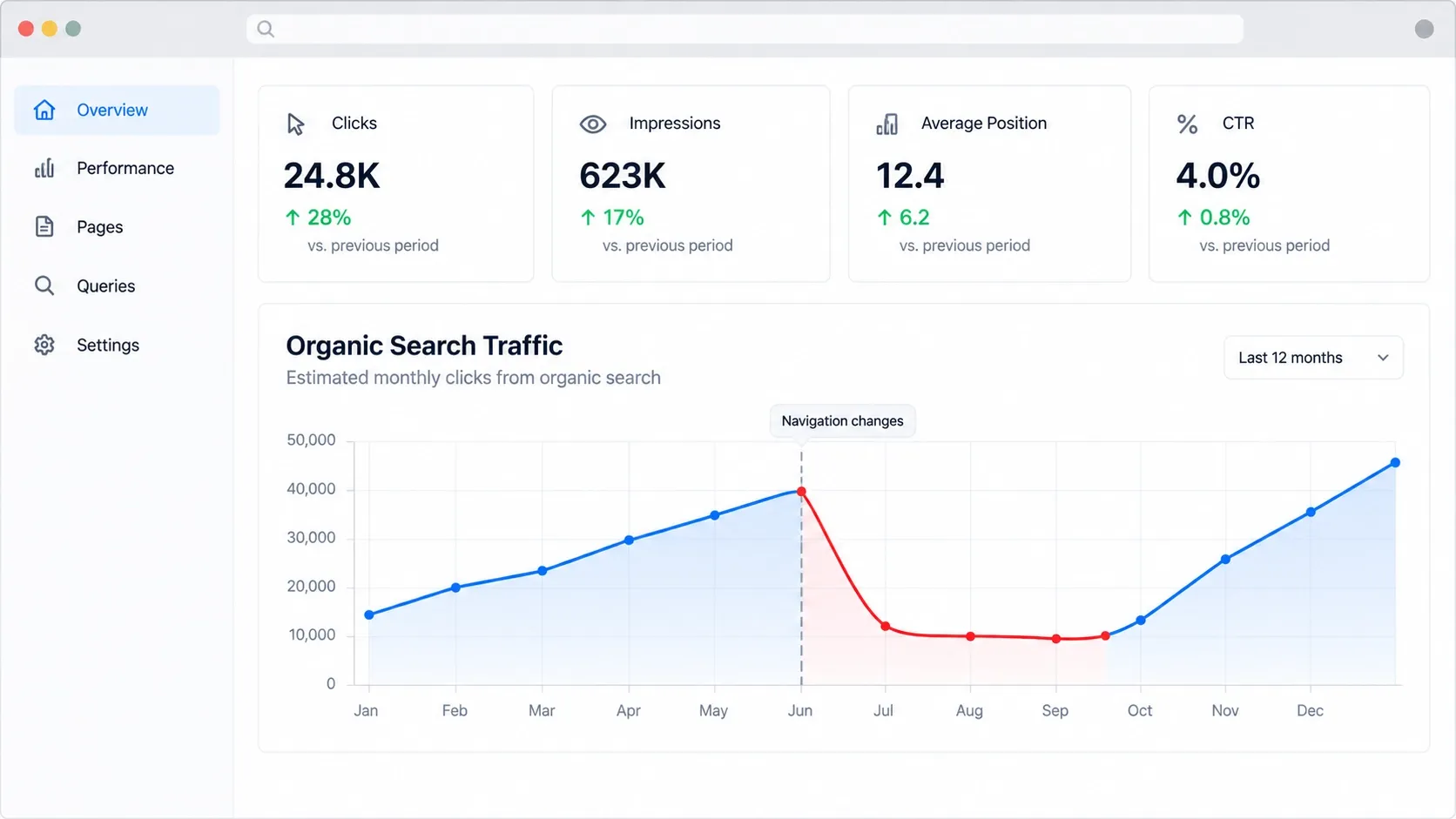
Google Search Console can help you identify changes in clicks, impressions, click-through rate, and average position. Review the Performance report by page and query to understand where visibility declined.
Also compare the dates of your traffic drop with the timing of the Google update. If the decline began during or shortly after the update, it provides a useful signal, although correlation alone does not prove the update caused the loss.
Determine Whether the Drop Is Sitewide or Page-Specific
A sitewide decline may point toward broader content, technical, or website-quality issues. A page-specific decline usually requires a closer look at the affected content, search intent, competition, or internal linking.
Separating these two situations prevents you from making unnecessary changes across your entire website when only a small group of pages needs attention.
Common Reasons a Website Loses Rankings After a Google Update
Google updates can change which pages provide the strongest result for a particular search. A page that ranked well previously may lose visibility because competing content better satisfies the query, the page has become outdated, or Google now places greater emphasis on other quality and relevance signals.
The goal is not to guess which single ranking factor changed. Instead, evaluate the complete page and compare it with the results that are now performing better.
Content No Longer Meets Search Intent
Search intent describes what users are actually trying to accomplish with a search. If your page answers a different question than the one users expect, it can lose visibility even if it contains the target keyword.
Review the current search results and determine whether users are looking for an explanation, comparison, service, product, guide, or another type of result. Your content should match that intent clearly.
Content Quality and Relevance Issues
Thin, repetitive, poorly organized, or weakly researched content may struggle when Google's systems become better at identifying useful results.
Review whether your content provides original value, directly answers the user's questions, demonstrates relevant expertise, and covers the subject thoroughly without unnecessary filler.
Poor User Experience and Page Experience
A page can contain useful information but still provide a frustrating experience. Slow loading, difficult mobile navigation, intrusive elements, unclear layouts, and hard-to-read content can make a website less effective for visitors.
Review the experience from the user's perspective, especially on mobile devices. Your content should be easy to read, navigate, and act on.
Weak Internal Linking and Site Structure
Internal links help users and search engines discover related content and understand how pages connect. A poorly structured website can make important pages harder to find and weaken topical relationships.
Review whether your key pages receive relevant internal links from other authoritative pages. Also check for broken links, isolated pages, and unnecessary layers in your site structure.
Technical SEO Problems
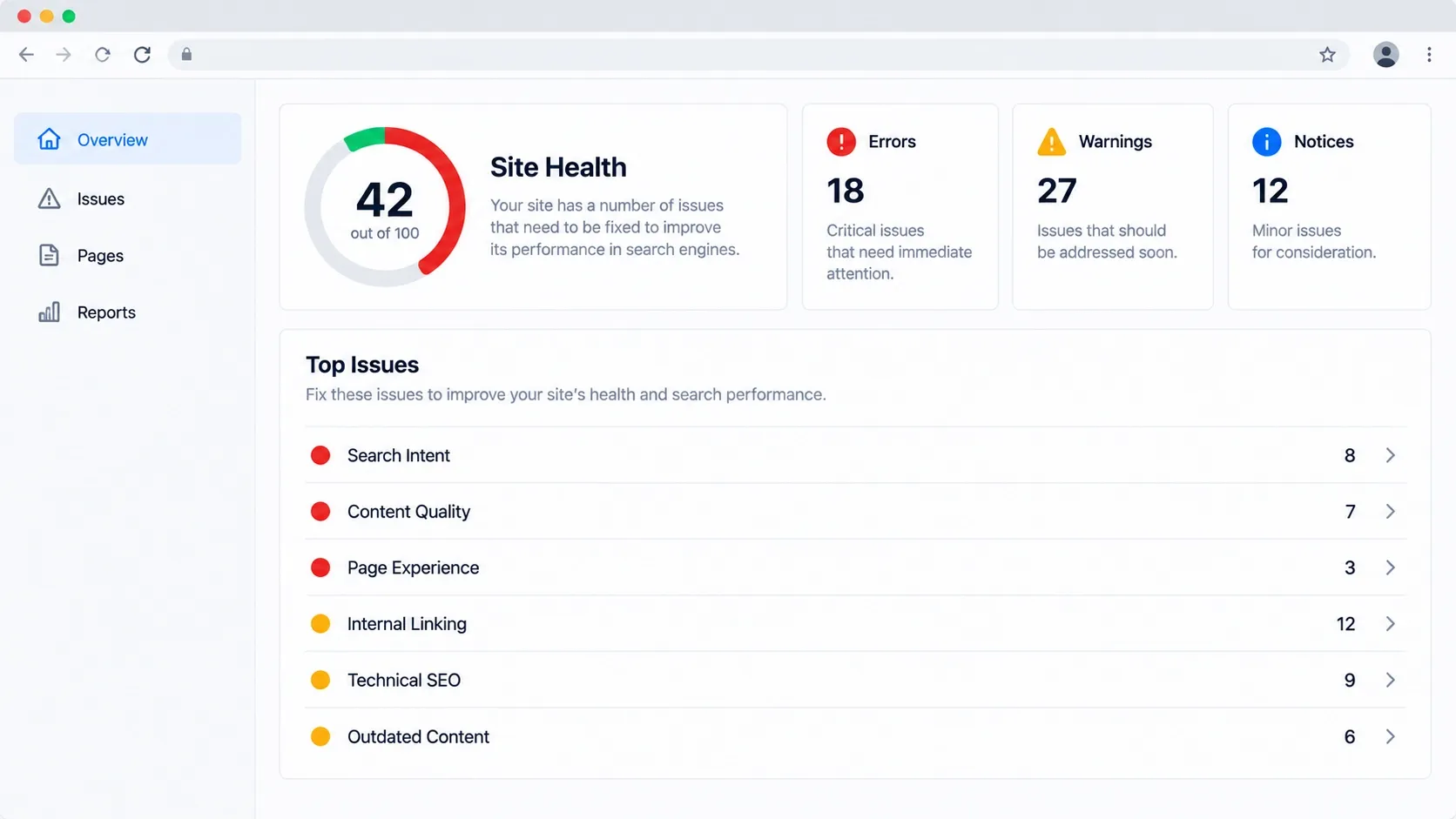
Technical problems can affect how search engines crawl, index, and understand your website. Common issues include indexing errors, accidental noindex directives, broken pages, canonical problems, redirects, duplicate URLs, and poor site architecture.
Technical SEO should be checked before assuming that content alone caused the ranking decline.
Unhelpful or Outdated Content
Some pages simply become less useful over time. Statistics change, services evolve, recommendations become outdated, and competitors publish more complete information.
Regularly review older content and determine whether it should be updated, consolidated, redirected, or removed based on its current value.
How to Recover from a Google Algorithm Update
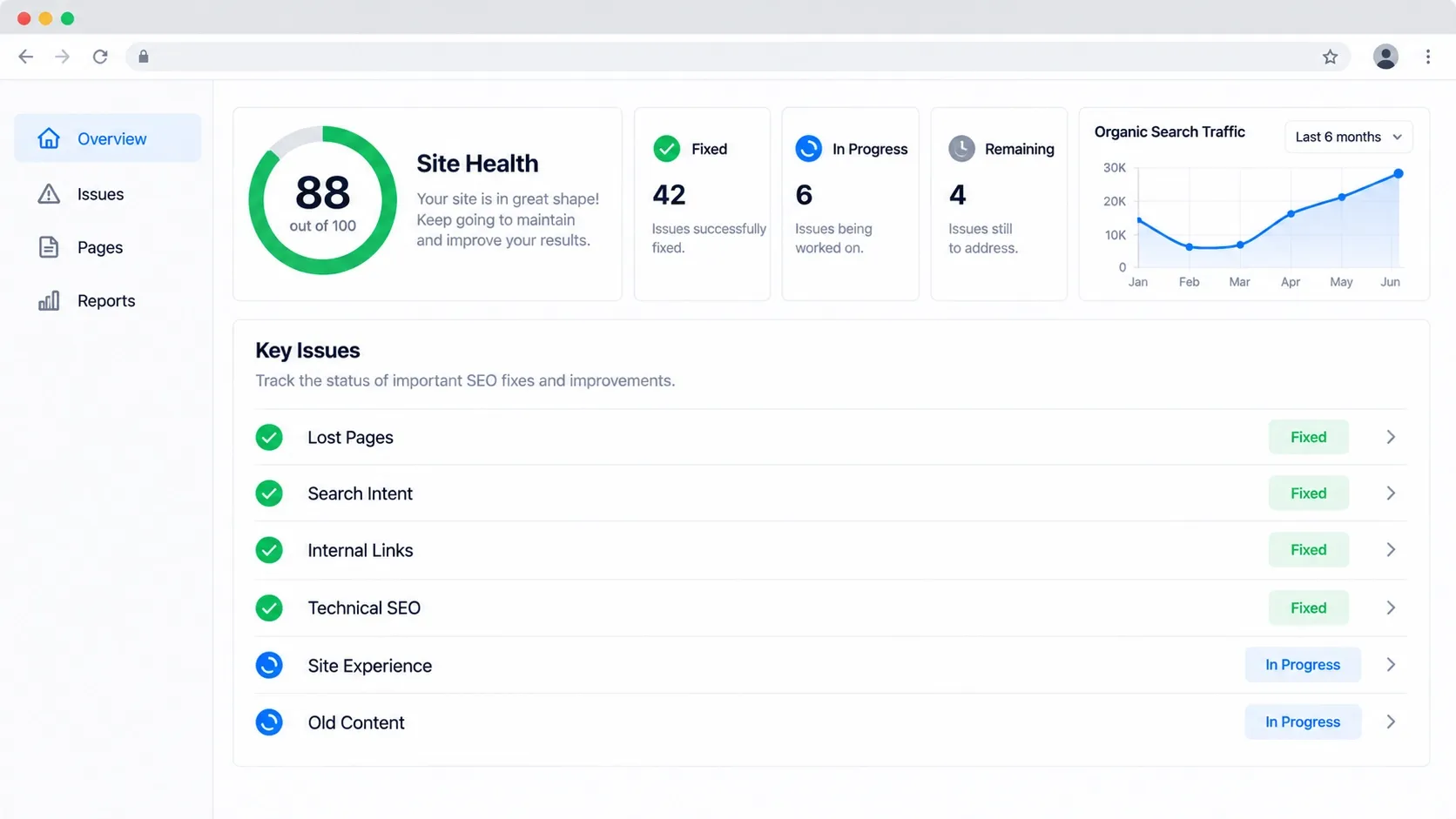
Google algorithm update recovery should focus on improving the website rather than trying to reverse-engineer a particular update. Once you know which pages lost visibility and why, make meaningful improvements that benefit users and strengthen the site's overall quality.
Work systematically instead of changing everything at once. Prioritize pages with significant traffic losses, strong business value, and clear opportunities for improvement.
Analyze the Pages That Lost Visibility
Start with the pages that experienced the largest and most important ranking declines. Review their content, target queries, backlinks, internal links, technical setup, and overall user experience.
Then compare them with pages that now rank above them. This can reveal differences in content depth, structure, relevance, usability, or the way each page satisfies the searcher's needs.
Improve Content to Better Satisfy Search Intent
Update content based on what users need rather than simply adding more words. Make the main answer easier to find, improve headings, address important questions, remove outdated information, and add useful examples or supporting details where appropriate.
Avoid rewriting a page just to insert more keywords. Strong SEO content should read naturally while providing a clear and complete answer.
Strengthen Internal Links and Topic Coverage
Connect related pages using descriptive, relevant anchor text. This helps users move between related resources while creating stronger connections between important topics across your website.
You should also look for missing subtopics that could strengthen your coverage. Addressing these gaps can help build a more complete resource around an important subject. If several pages compete for the same search terms, review potential keyword cannibalization issues before creating additional content.
Fix Technical SEO Issues
Resolve technical problems that could prevent search engines from properly crawling or indexing your content. Check indexing status, redirects, canonical tags, broken links, sitemap issues, mobile usability, and page performance.
Technical fixes are especially important when the ranking decline affects many pages or when Search Console shows indexing or crawling problems.
Improve Website Experience and Usability
Make important information easy to access and understand. Improve navigation, readability, mobile layouts, page speed, calls to action, and overall page organization.
A better user experience also makes it easier for visitors to engage with your content and move naturally toward the next step.
Update or Remove Underperforming Content
Not every page needs to be saved. If a page has little value, overlaps heavily with another resource, or no longer serves a useful purpose, consider consolidating or removing it.
For pages with valuable topics but outdated information, a thorough update may be the better option. The decision should be based on the page's purpose, performance, relevance, and potential value.
What Not to Do After a Google Algorithm Update
A sudden Google ranking drop can create pressure to make immediate changes, but reacting too quickly can make diagnosis more difficult.
Avoid these common mistakes:
- Changing large portions of the website without identifying the cause.
- Adding keywords unnaturally to pages that already target the right topic.
- Deleting pages simply because their rankings declined.
- Making drastic technical changes without understanding their impact.
- Copying competitors instead of improving your own content.
- Assuming every traffic decline is caused by a Google update.
- Expecting rankings to return immediately after making changes.
Give your analysis enough time to reveal meaningful patterns before making major decisions.
How Long Does It Take to Recover From a Google Algorithm Update?
There is no fixed recovery timeline. Some improvements may become visible relatively quickly, while broader changes can take weeks or months to be reflected in search performance.
Recovery also depends on the cause of the decline and the quality of the changes you make. Google may need time to recrawl and reassess updated pages, and improving a page does not guarantee that it will return to its previous position.
Focus on making substantial improvements rather than trying to meet an arbitrary recovery deadline.
How to Protect Your Website From Future Algorithm Updates
The best protection is a website that consistently provides useful, relevant content and a strong experience for visitors.
Keep important pages updated, monitor organic performance, maintain sound technical SEO, strengthen internal linking, and regularly review whether your content still satisfies search intent. Following established Google ranking factors and maintaining a consistent SEO strategy can reduce the risk of relying on outdated tactics.
Conclusion
Recovering from a Google algorithm update starts with understanding what changed rather than reacting blindly. Analyze affected pages, review search intent, improve content quality, fix technical problems, and strengthen the overall website experience.
If your website has experienced a significant ranking decline, a structured SEO review can help identify the underlying issues and create a practical recovery plan. 1REALTOUR can help businesses evaluate their organic performance and build a stronger SEO strategy for San Diego businesses.
Share this article