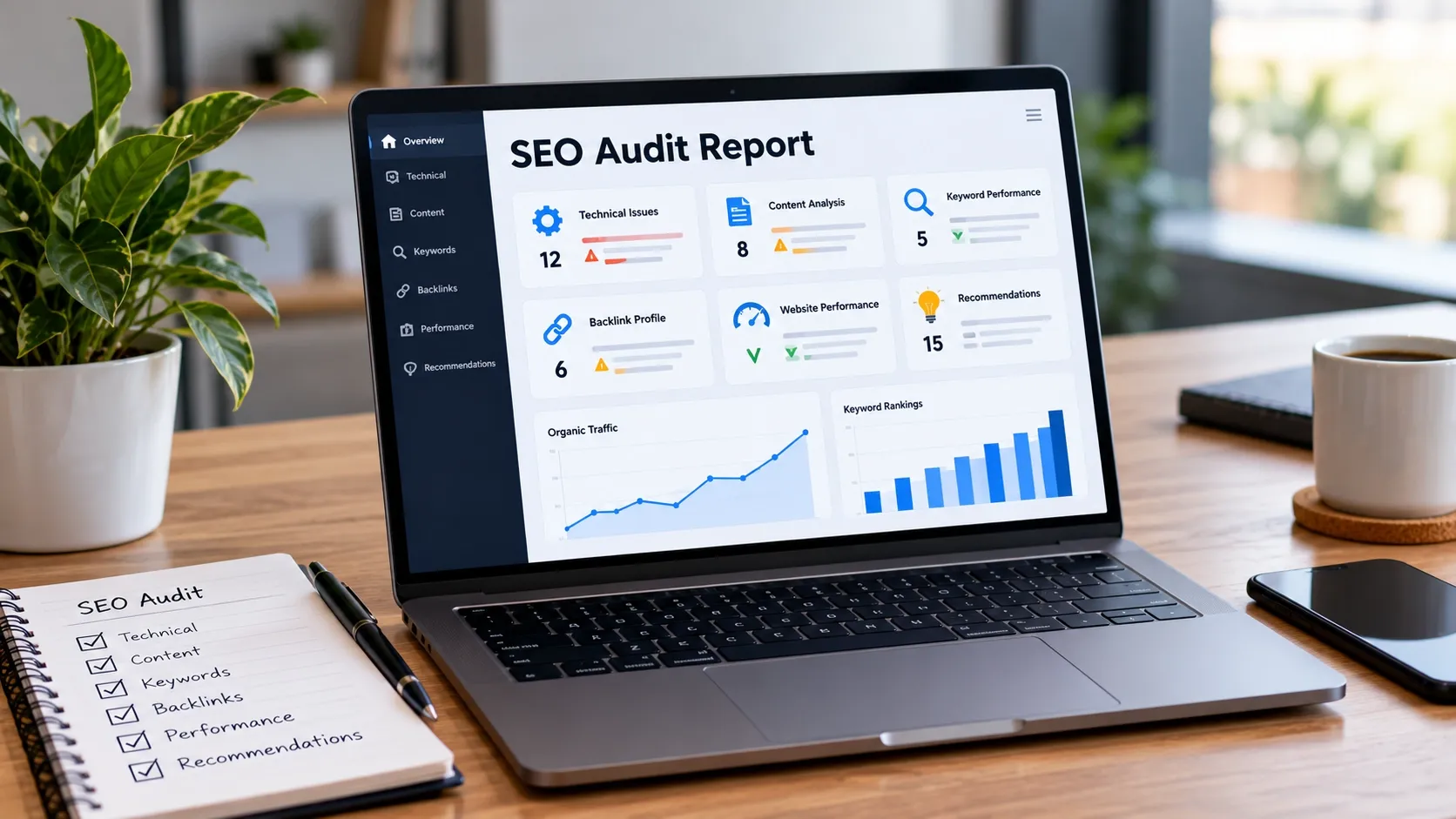
An SEO audit report is a document that identifies website issues affecting search visibility and recommends practical ways to fix them. To create one, review technical SEO, on-page content, keyword performance, backlinks, and user experience, then organize your findings by priority and business impact.
A useful report does more than list errors. It explains what is wrong, why it matters, and what should happen next. Whether you manage your own website or prepare reports for clients, a clear SEO audit report helps turn data into an actionable improvement plan.
What Is an SEO Audit Report and Why Does It Matter?
An SEO audit report summarizes a website's search engine optimization health, including its strengths, weaknesses, and opportunities for improvement. It helps website owners understand which issues may affect crawling, indexing, rankings, traffic, or conversions.
A well-prepared report helps you:
- Identify technical errors that prevent search engines from accessing important pages.
- Find content and keyword opportunities that align with user intent.
- Understand changes in organic traffic and search performance.
- Prioritize improvements based on their likely impact.
- Track completed fixes and measure progress over time.
For businesses that depend on online leads, such as construction, remodeling, and home service companies, an audit can also reveal why important service pages may not attract enough relevant traffic. A structured SEO service strategy can help connect these findings with broader search visibility goals.
What to Include in an SEO Audit Report
Your report should cover the main factors that influence how search engines discover, understand, and evaluate a website. The exact sections depend on the website's size, goals, and existing problems.
Website Technical SEO Issues
Technical SEO determines whether search engines can crawl, render, and index important website pages correctly. Include findings related to:
- Broken internal links and server errors.
- XML sitemap and robots.txt configuration.
- Indexing problems and unintended noindex directives.
- Redirect chains and incorrect canonical tags.
- Duplicate URLs and HTTPS implementation.
Explain which URLs are affected and provide evidence for each issue. For example, an important service page blocked from indexing deserves more attention than a minor technical warning on an unimportant page.
On-Page SEO and Content Quality
On-page SEO focuses on the content and HTML elements that help search engines understand a page. Review title tags, meta descriptions, headings, internal links, image alt text, and the relevance of the content to the target search intent.
Identify pages with missing metadata, overlapping topics, outdated information, or insufficient answers to user questions. Avoid recommending longer content simply for the sake of length. Each page should provide useful information that matches what its audience needs.
Keyword Rankings and Organic Traffic
Review the keywords a website ranks for and how its organic search performance changes over time. Use Google Search Console to examine clicks, impressions, click-through rates, and average positions.
Identify pages gaining or losing visibility, queries that attract relevant visitors, and opportunities where the page does not fully match search intent. Compare similar date ranges and account for seasonality before attributing changes to SEO problems.
Backlink Profile and Off-Page SEO
Backlinks can help search engines understand how pages are referenced across the web. Review the website's referring domains, relevant links, broken backlinks, and any suspicious patterns that may require further investigation.
Do not assume that every low-quality link requires removal or disavowal. Focus on evidence of actual risk and opportunities to earn relevant, trustworthy links. Explain how your findings relate to the website's overall search visibility.
User Experience and Website Performance
Review mobile usability, loading performance, navigation, and the ease of completing important actions. Check Core Web Vitals, including loading performance, interaction responsiveness, and visual stability.
Look for slow pages, overlapping elements, confusing menus, and forms that are difficult to use. These problems may affect user satisfaction even when a page is technically indexable. Where relevant, explain how usability issues could interfere with leads or sales.
How to Make an SEO Audit Report Step by Step
Follow a consistent process so your report is accurate, organized, and useful to whoever will implement the recommendations.
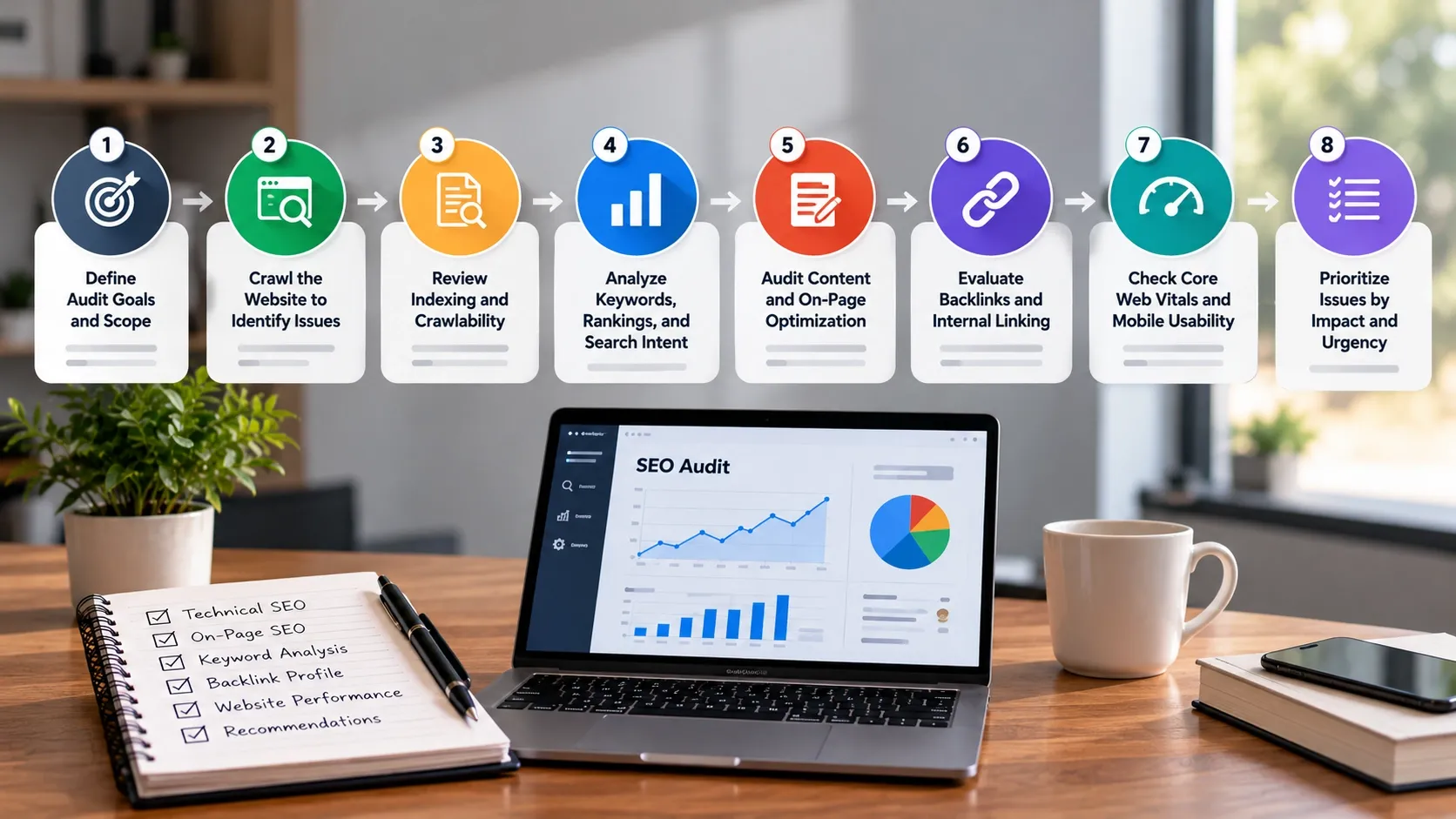
Define the Audit Goals and Scope
Start by identifying the website's main objectives. An e-commerce store may prioritize product visibility and sales, while a home service company may focus on local search traffic and qualified inquiries.
Confirm the website's size, important pages, target audience, and available data. Define which areas the audit will cover, such as technical SEO, content, backlinks, and performance. A clear scope prevents unnecessary work and keeps the report focused on business priorities.
Crawl the Website to Identify SEO Issues
Use a website crawler to examine URLs, status codes, page titles, headings, internal links, and other technical elements. Crawling can reveal broken links, duplicate titles, redirect chains, and missing metadata.
Review the crawl results rather than copying every warning into the report. Confirm important findings manually and record affected URLs, evidence, and recommended fixes. This makes the audit more accurate and easier to act on.
Review Website Indexing and Crawlability
Check whether search engines can access and index the pages that matter. Review Google Search Console's indexing reports, inspect the XML sitemap, and investigate unexpected exclusions.
Use URL Inspection to examine specific pages when necessary. A page that is not indexed is not automatically broken; it may be intentionally excluded, duplicated, or considered unsuitable for indexing. Explain the likely cause before recommending a fix.
Analyze Keywords, Rankings, and Search Intent
Review the queries that bring visitors to the website and compare them with the pages appearing in search results. Determine whether each important page satisfies the intent behind its target keywords.
For example, someone searching for a service generally expects information about that service, while someone searching for a comparison may need differences, advantages, and drawbacks. Use these insights to identify content gaps and opportunities for improvement.
A competitor SEO analysis can provide additional context about competing pages, keyword coverage, and topics your website may need to address.
Audit Content and On-Page Optimization
Review important landing pages, blog posts, and service pages for relevance, clarity, accuracy, and duplication. Check whether titles and headings describe the page correctly and whether the content answers the questions visitors are likely to have.
Group similar issues together and recommend specific changes. For example, instead of writing "improve content," explain that a particular service page does not address pricing factors, project requirements, or common customer questions.
Evaluate Backlinks and Internal Linking
Examine external links pointing to the website and how its own pages connect to one another. Identify important pages that receive few relevant internal links, broken links that interrupt navigation, and useful content that could support related service pages.
Internal links should help visitors and search engines discover related information naturally. For a broader understanding of these factors, review the differences between on-page and off-page SEO.
Check Core Web Vitals and Mobile Usability
Use Google PageSpeed Insights and available real-user data to assess performance. Review loading speed, interaction responsiveness, visual stability, and how the website behaves on mobile devices.
Record the affected URLs and distinguish sitewide problems from issues limited to specific templates or pages. You can also review Interaction to Next Paint (INP) to understand how quickly a page responds to user interactions.
Prioritize Issues by Impact and Urgency
Not every SEO issue deserves immediate attention. Rank findings according to their potential impact, urgency, confidence in the diagnosis, and effort required to fix them.
A practical priority system is:
- High priority: Issues preventing important pages from being crawled or indexed, widespread server errors, or broken conversion paths.
- Medium priority: Weak page targeting, missing internal links, or content gaps affecting important pages.
- Low priority: Minor metadata improvements or small enhancements with limited expected impact.
Adjust priorities to the website's circumstances. A seemingly minor issue can become important if it affects a high-value landing page.
Best Tools for Creating an SEO Audit Report
You do not need every SEO tool available. Choose tools based on the questions your audit needs to answer and verify important findings before reporting them.
Google Search Console and Google Analytics
Google Search Console provides search performance data, indexing information, and reports about certain technical issues. Google Analytics helps you understand website visits, engagement, and tracked conversions.
Together, these tools help connect search visibility with user behavior. Remember that they measure different things, so use consistent date ranges and verify that analytics tracking is configured correctly.
Website Crawling and Technical SEO Tools
Crawlers such as Screaming Frog SEO Spider can examine large numbers of URLs for broken links, redirects, missing metadata, duplicate elements, and other technical issues.
Use crawl reports to find patterns and affected pages. Some tools have free usage limits, so select a tool that fits the website's size and audit requirements.
Keyword Research and Backlink Analysis Tools
Keyword research platforms help identify search queries, ranking opportunities, and competing pages. Backlink analysis tools provide information about referring domains and external links.
Use these tools to support your findings rather than treating every metric as definitive. Estimated search volumes, authority scores, and backlink ratings are third-party measurements, not direct guarantees of search performance.
How to Present SEO Audit Findings and Recommendations
Present the report so readers can quickly understand the main problems and decide what to do next. Use bullet points to make findings easier to scan.
- Summarize key issues: State what is wrong, which pages are affected, and why the issue matters.
- Provide evidence: Include relevant URLs, screenshots, crawl results, or Search Console data.
- Recommend specific fixes: Explain what needs to change and who should handle it when responsibilities are known.
- Set priorities and timelines: Separate urgent fixes from longer-term improvements and estimate effort where possible.
- Track progress: Record the original issue, planned action, completion status, and relevant performance metrics.
Avoid overwhelming readers with technical warnings that have little practical impact. A concise summary followed by detailed findings makes the report useful for both decision-makers and the people implementing changes.
Common SEO Audit Reporting Mistakes to Avoid
Even a detailed audit can be ineffective if its findings are unclear or poorly prioritized. Avoid these common mistakes:
- Listing tool warnings without checking whether they represent real problems.
- Reporting issues without explaining their impact or recommended solution.
- Treating every SEO issue as equally urgent.
- Using ranking changes as proof that a particular fix caused an improvement.
- Recommending unnecessary content changes without reviewing search intent.
- Ignoring mobile usability, conversions, and the website's business goals.
- Failing to record completed fixes and review their outcomes.
A strong report focuses on verified problems, realistic recommendations, and measurable progress rather than the number of issues identified.
Conclusion
Learning how to make an SEO audit report helps you turn website data into a clear plan for improving search visibility and usability. Review technical SEO, content, keywords, backlinks, and performance, then organize the findings by impact and urgency.
The most useful report explains what needs attention, why it matters, and how to address it. Revisit the report after implementing changes to evaluate progress and identify remaining opportunities.
If your business needs help assessing website performance or prioritizing SEO improvements, 1REALTOUR offers SEO and digital solutions tailored to business goals.
Share this article