Boosting your online presence and visibility is crucial for the success of your business, and a key component of that is improving your Google My Business ranking. With millions of users turning to Google to find local businesses and services, optimizing your GMB listing can significantly impact your online visibility. In this guide, we’ll explore seven easy yet effective strategies to enhance your Google My Business ranking. From updating key information to generating reviews and responding to them, these tips will help you climb the ranks and attract more customers to your business. Let’s dive in!
Ways to Improve Your Google My Business Ranking
Enter complete data and regularly update key information
To boost your Google My Business ranking, it’s essential to enter complete data and keep it up to date. Ensure that all sections of your GMB profile are accurately filled out, including your business name, address, phone number, website URL, business hours, and categories. Additionally, regularly update key information such as business hours, special promotions, or changes in contact details. By providing comprehensive and current information, you improve the user experience and increase the likelihood of your business appearing in relevant searches. Consistency and accuracy in your GMB listing signal trustworthiness to both users and search engines, ultimately boosting your ranking and driving more traffic to your business.
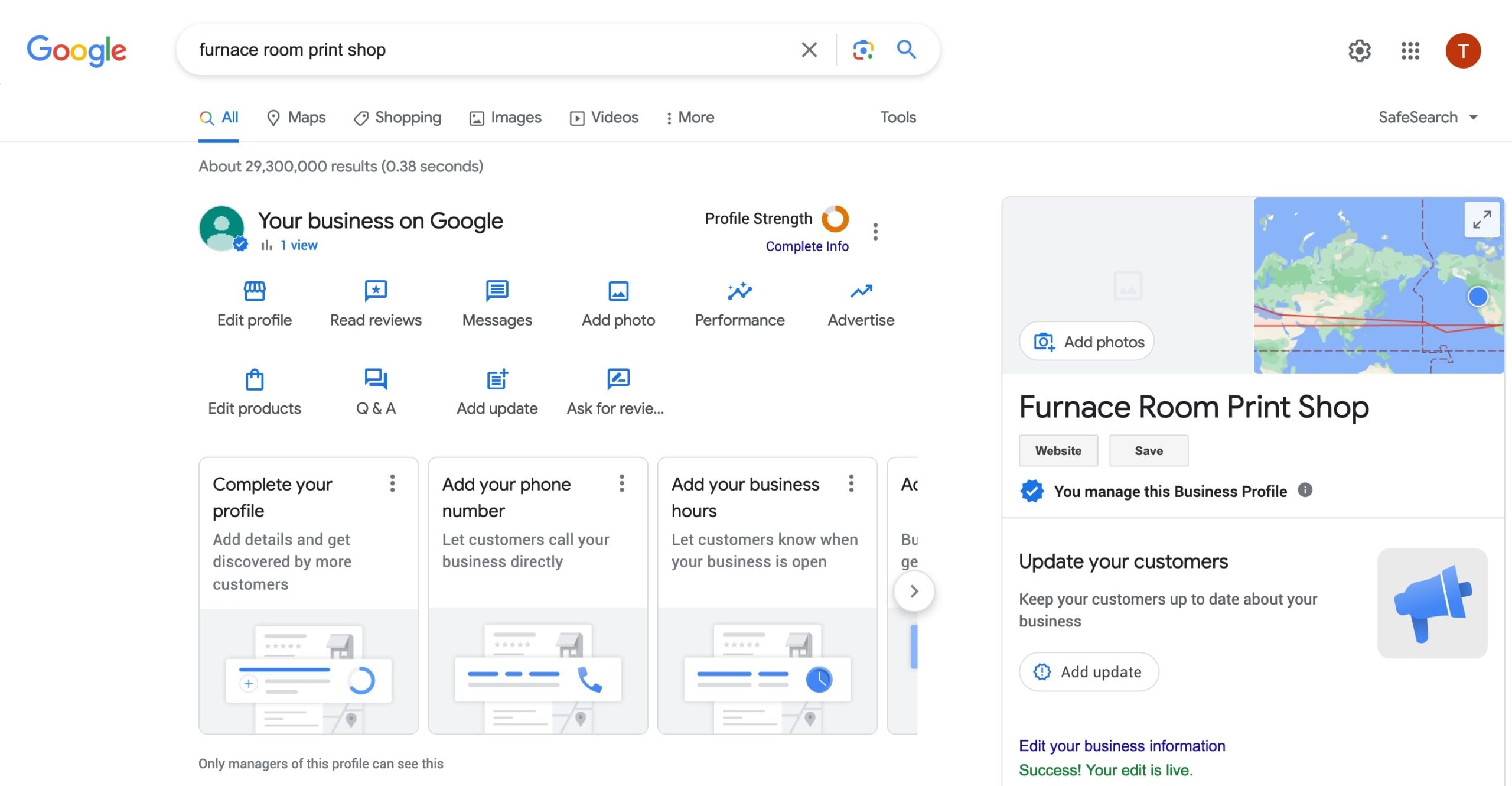
Ensure your GMB listing is on Google Maps
Ensuring that your Google My Business (GMB) listing is visible on Google Maps is crucial for maximizing your online presence. When users search for businesses in their area, Google Maps often displays local listings prominently, making it easier for potential customers to discover your business. To ensure your GMB listing is on Google Maps, verify and claim your business listing(s) through the GMB dashboard. Once verified, your business will be accurately displayed on Google Maps, allowing users to easily find your location, view directions, and learn more about your offerings. Being visible on Google Maps not only improves your business’s visibility but also enhances credibility and trust among potential customers, ultimately leading to increased foot traffic and conversions.
1REALTOUR SEO ServicesVerify and claim your business listing(s)
Verifying and claiming your business listing(s) on Google My Business (GMB) is a critical step in enhancing your online presence. By claiming ownership of your listing(s), you gain control over the information displayed about your business on Google search results and maps. To verify and claim your listing(s), log in to your GMB dashboard and follow the prompts to confirm your affiliation with the business. This process typically involves Google sending a verification code to your business address, which you then enter into your GMB dashboard to complete the verification process. Once verified, you can manage and update your business information, respond to customer reviews, and access valuable insights about how users interact with your listing(s). Verifying and claiming your GMB listing(s) establishes legitimacy and authority, improving your visibility and credibility online.
Add high-quality photos to your business listing(s)
To boost your Google My Business ranking, incorporating high-quality photos into your listing(s) is paramount. These images serve as a visual representation of your business, enticing potential customers to engage with your listing(s) and ultimately visit your establishment. When adding photos, opt for crisp, high-resolution images that highlight the unique aspects of your business, such as your storefront, interior decor, products, and team members. By regularly updating your photo gallery with fresh and relevant images, you not only enhance the visual appeal of your listing(s) but also signal to Google that your business is active and engaging. Remember, compelling visuals play a crucial role in capturing the attention of users and improving overall engagement, thus positively impacting your Google My Business ranking.

Conclusion
In conclusion, optimizing your Google My Business listing is crucial for enhancing your online presence and attracting more customers. By implementing the strategies outlined in this guide, including entering complete data, adding high-quality photos, setting up a Q&A section, regularly posting updates, and generating and responding to reviews, you can significantly improve your Google My Business ranking. Consistently updating and engaging with your listing demonstrates to both users and Google that your business is active, relevant, and committed to providing exceptional products or services. As a result, you’ll not only boost your visibility in local search results but also strengthen your online reputation and attract more customers to your business. So, start optimizing your Google My Business listing today and reap the rewards of increased visibility, credibility, and success.
Read More How to Grow Website Organic Traffic With Seo: Tips & Trick
Share this article